77FX Setup
Standard Windows installer with shortcuts and app registration. Recommended for most users.
- Windows 10 / 11
- Version 2.1.7 — free
Silent Core Software
A desktop utility for solo founders, traders, and cross-border freelancers. Both the installer and portable release are free downloads.
No subscription required. Installer or portable build, both free.
Wise API and AI provider credentials configured inside the app — under your control.
English, 中文, Español, Deutsch, Français, 日本語, and 한국어.
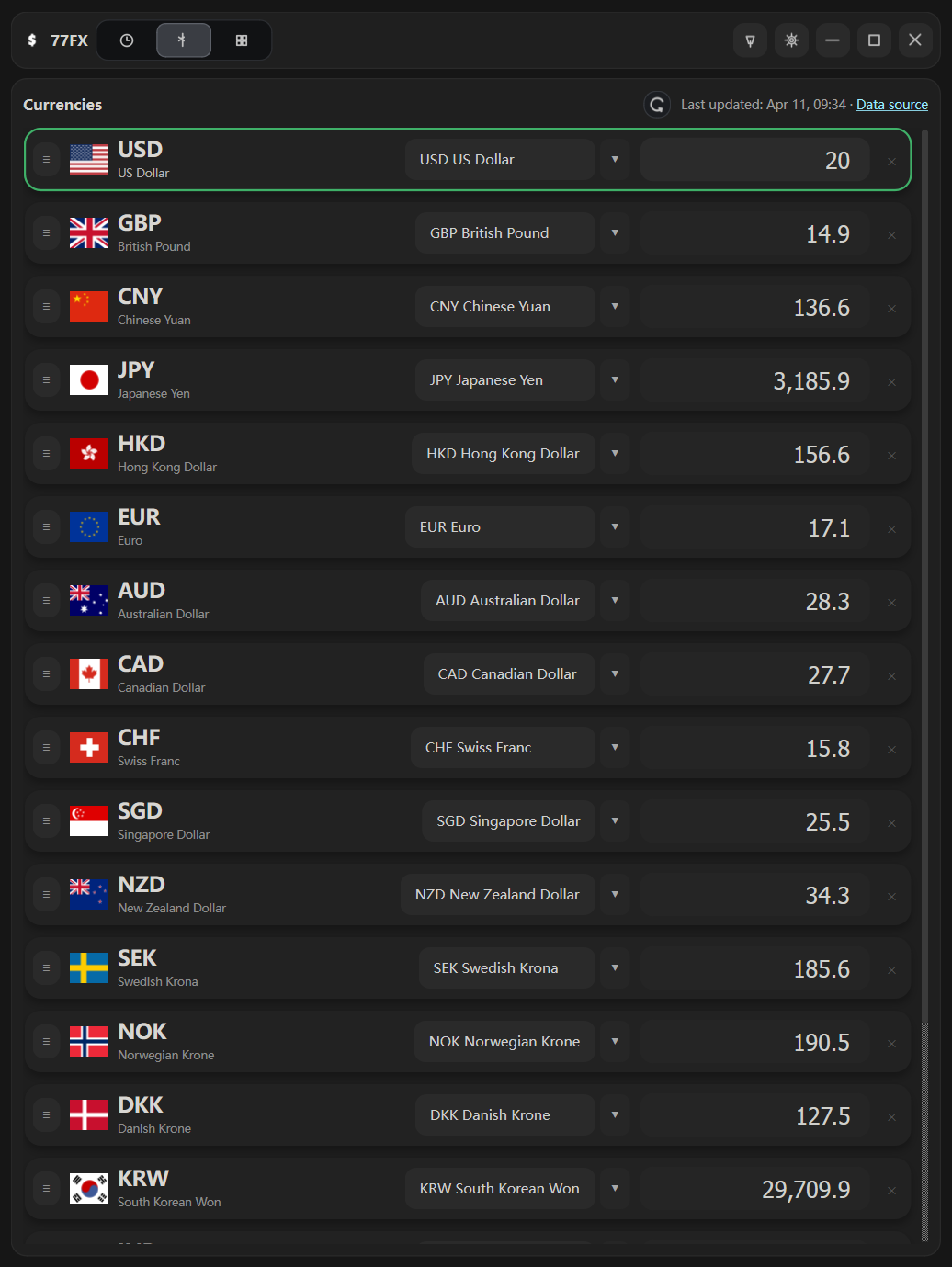
Currency workspace
Every visible currency row recalculates instantly. Built for daily trading, quoting, and invoicing. Supports Wise, open.er-api.com, and Frankfurter (ECB) as rate sources.
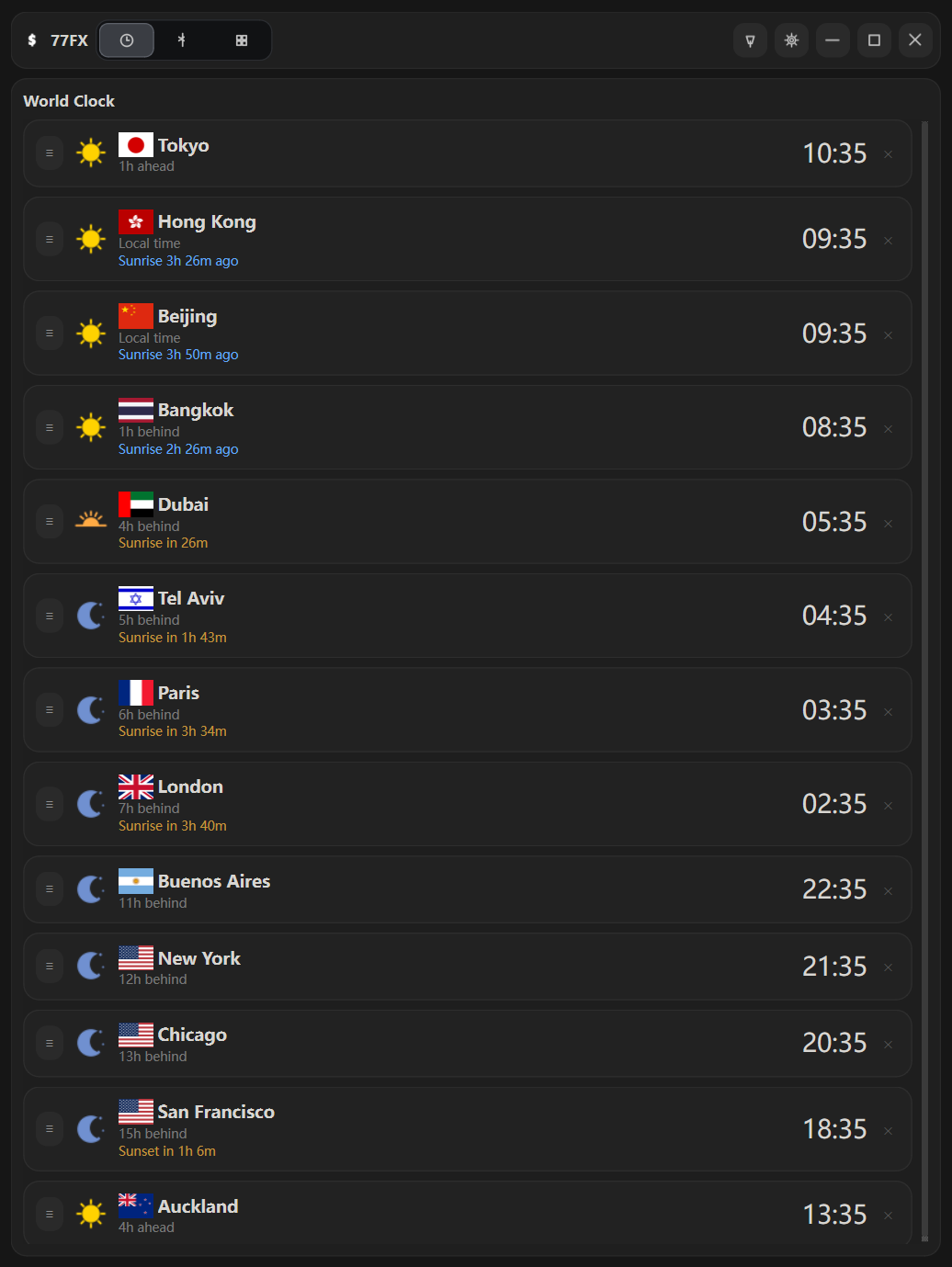
World clock
Track multiple cities with local time, relative UTC offsets, and sunrise or sunset countdowns. Useful for supplier, client, and contractor coordination across regions.
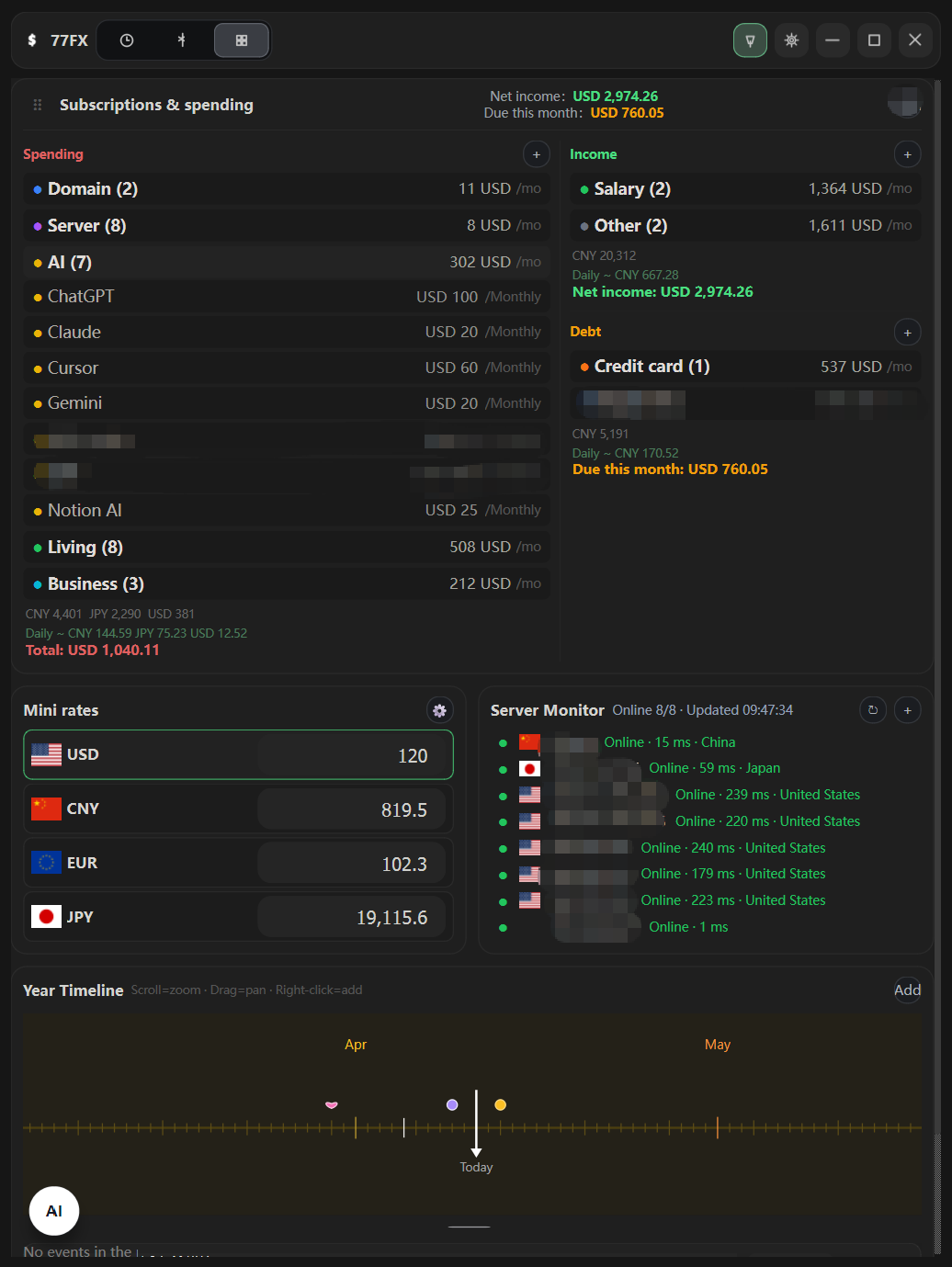
Operational dashboard
AI subscriptions, server spend, net income, debt due this month, mini rates, server latency, and timeline reminders — without switching apps. Set your settlement currency and track actual received versus amount due.
Downloads
Standard Windows installer with shortcuts and app registration. Recommended for most users.
Single-file executable — no install step required.
Modules
Each module is built for practical daily use — not generic dashboard filler.
Multi-row conversion with instant recalculation. Add and reorder currencies, use fast amount entry, and choose between Wise, open.er-api.com, or Frankfurter (ECB) as your rate source.
Track multiple cities with local time, UTC offset, and sunrise or sunset countdown. Built for quick reading across regions without calendar navigation.
Monitor AI subscriptions, servers, domains, software, debt, and income in one compact block. Compare outgoing spend and inflow before monthly costs drift beyond budget.
A compressed exchange rate view inside the main dashboard — useful when you want rates visible alongside schedules and finance widgets without opening the full currency page.
Keep target IPs or hosts in the dashboard with online status, latency, and location. Lightweight monitoring next to operational data — no separate tool needed.
Upcoming reminders and schedule items in a compact panel alongside rates and finance widgets. Supports zoom, horizontal browsing, and quick add from the timeline area.
Use natural-language input to add expenses, income, debt, server entries, and schedule items. Connect your own provider and model — credentials configured by the user, not hardcoded into the package.
Show or hide mini rates, server monitor, timeline, and finance modules. Choose your settlement currency for monthly totals, actual received, and amount due.